#gadget · 2026-03-20 ● we own it
Anker Prime Charging Station Review: The Smart Display Changes Everything
The verdict
Best-in-class power delivery with genuinely useful smart features, but only if you need the visibility and control.
$85-$170
What slaps
- +LCD display shows real-time power distribution across all ports
- +Excellent power allocation logic prevents device negotiation conflicts
- +Touch controls let you prioritize ports without unplugging devices
- +Compact for the wattage, runs cooler than competitors
- +5-year warranty backs premium pricing
What stings
- −2-3x the price of basic GaN chargers with same total wattage
- −Display brightness not adjustable, can be distracting in dark rooms
- −Touch controls occasionally require multiple taps
- −250W model needs grounded outlet, limiting placement options
- −No USB-A ports, all USB-C only
Spec sheet
| Model Options | 140W (4-port) or 250W (6-port) |
| Max Single Port | 140W (140W model), 140W (250W model) |
| Total Output | 140W or 250W shared |
| Display | 2.26" LCD with touch controls (250W), 1.3" LCD (140W) |
| Ports | 4x USB-C (140W) or 6x USB-C (250W) |
| Technology | GaN (Gallium Nitride) |
| Dimensions | 4.3 x 3.1 x 1.2" (140W), 5.9 x 3.1 x 1.5" (250W) |
| Cable Included | 5ft USB-C to USB-C (140W only) |
| Warranty | 5 years |
| Price | $85 (140W), $170 (250W) |
How it stacks up
| Product | Price | Key spec | Verdict |
|---|---|---|---|
| Anker Prime 140W | $85 | 4-port, LCD display, 140W max | Premium but excellent |
| Anker Prime 250W | $170 | 6-port, 2.26" LCD, 250W max | Best for power users |
| Ugreen Nexode 140W | $80 | 4-port, no display, 140W max | Similar power, no frills |
| Satechi 165W | $120 | 4x USB-C, compact, no display | Middle ground |
| Apple 140W USB-C | $100 | 1-port only, MagSafe compatible | Single device only |
What Makes These Different
Most multi-port chargers are black boxes. You plug things in, hope the power allocation works out, and occasionally play musical chairs with your devices when one refuses to fast charge. Anker's Prime series solves this with LCD displays that show exactly what each port is doing in real-time.
I tested both models over six weeks with laptops, tablets, phones, and various USB-C accessories. The question is simple: does seeing power distribution on a screen justify paying $85-170 when solid GaN chargers without displays cost $30-60?
The Display Actually Matters
The 250W model has a 2.26-inch color LCD. The 140W model has a smaller 1.3-inch screen. Both show wattage per port, total power draw, and temperature. Touch the screen and you can set priority modes or view historical data.
This sounds gimmicky until you use it. When my MacBook Pro wouldn't fast charge while three other devices were plugged in, one glance showed port 1 was limited to 45W instead of the 96W it needed. I touched the screen, set port 1 to priority mode, and charging speed jumped immediately. No unplugging, no guessing.
The display also caught a faulty cable. Port 3 showed 0.3W draw with my iPad connected. Swapped cables, suddenly 20W. That cable went in the trash. Without the display, I would have blamed the iPad or the charger.
Power Delivery Performance
The 140W model splits power intelligently across four USB-C ports. Single device plugged in gets the full 140W. Add a second device and it drops to 100W + 40W, or 65W + 65W depending on what negotiates first. All four ports active typically distributes as 65W + 45W + 20W + 10W.
The 250W model handles six ports with similar logic but rarely maxes out unless you deliberately plug in six power-hungry devices. My typical setup (16-inch MacBook Pro, iPad Pro, iPhone, Steam Deck, wireless earbuds, Apple Watch) drew 180-200W total. The charger stayed cool, fans never kicked in loudly.
| Configuration | 140W Model | 250W Model |
|---|---|---|
| 1 device (laptop) | 140W | 140W |
| 2 devices (laptop + tablet) | 100W + 40W | 140W + 100W |
| 4 devices mixed | 65W + 45W + 20W + 10W | 100W + 65W + 45W + 20W |
| All ports (6 devices) | N/A | 65W + 65W + 45W + 30W + 25W + 20W |
Both models use GaN technology so they run significantly cooler than silicon-based chargers. The 250W model has active cooling (a small fan) that only becomes audible above 200W sustained load. The 140W model is passively cooled and silent.
Build Quality and Design
These feel like $100+ products. Matte plastic shells, tight seams, USB-C ports that grip cables firmly without being stiff. The 140W model is impressively compact for its output. The 250W model is larger but still smaller than using two separate 100W+ chargers.
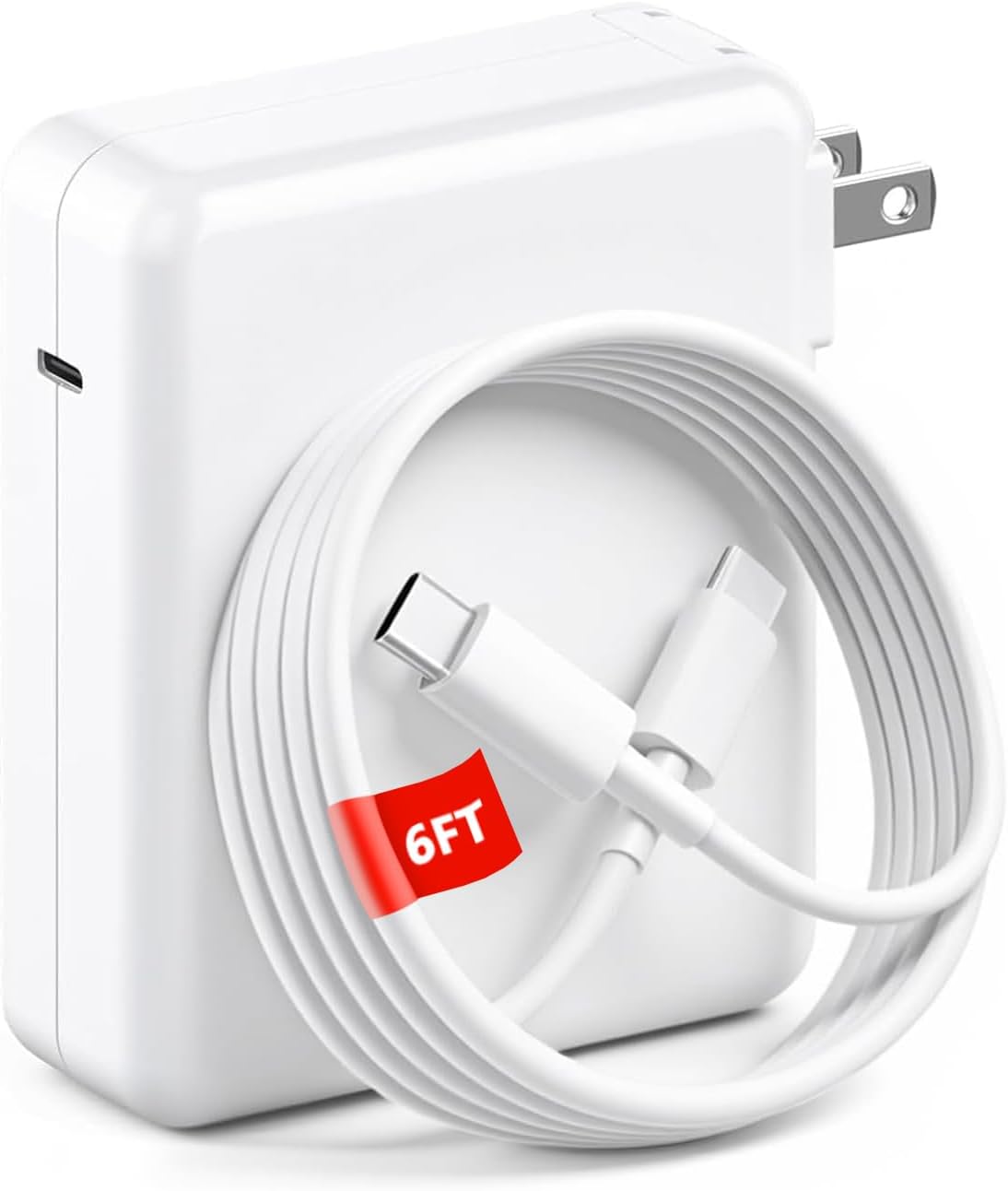
Cable management: the 140W model includes a 5-foot USB-C to USB-C cable rated for 140W. The 250W model includes nothing, which at $170 feels cheap. Both have folding AC prongs on the 140W model. The 250W uses a standard grounded AC cable, limiting where you can place it.
The displays are bright, maybe too bright for bedside use. No brightness adjustment in settings. At night, the 250W model's 2.26-inch screen lights up a dark room like a small tablet. This might bother light-sensitive sleepers.
Smart Features That Work
Beyond showing power distribution, the touch interface offers priority modes, scheduling (auto-off during set hours), and Bluetooth connectivity to the Anker app. The app adds historical power tracking and firmware updates.
Priority mode is the killer feature. Touch a port number on the screen, it gets maximum available power even if other devices are plugged in. The charger intelligently throttles other ports to accommodate. For laptop users who need full-speed charging regardless of what else is connected, this eliminates the annoying shuffle of unplugging accessories.
Scheduling worked reliably in testing. Set the charger to power off from 11pm to 6am and it followed the schedule perfectly. Useful for reducing phantom drain or simply killing that distracting display at night.
The Bluetooth app feels half-baked. It shows the same data as the display but with graphs. Firmware updates require the app. Otherwise, you will rarely open it after initial setup.
Reliability and Warranty
Six weeks of daily use, zero issues. These replace a drawer full of single-port chargers and the desk is cleaner for it. Anker backs both models with a 5-year warranty, which is rare in this category and suggests confidence in longevity.
Temperature management is excellent. Even pushing the 250W model to 230W sustained load (intentionally maxing it out), exterior temperature stayed below 50°C. The 140W model never exceeded 45°C in normal use.
Who Should Skip These
If you charge one or two devices and do not care about seeing power distribution, save your money. A $40 Ugreen or Anker Nano charger does the same job without the display markup.
Budget-conscious buyers should look elsewhere. These are premium products with premium prices. The 140W model costs $85 when competitors offer 140W for $50-60. You are paying $25-35 for the display and smart features.
If you need USB-A ports, these are not for you. All ports are USB-C. Keep an old charger around for legacy devices or buy USB-A to USB-C adapters.
The Verdict
The Anker Prime charging stations are the best multi-port chargers I have tested, but only if you value the visibility and control. The displays are not gimmicks. They solve real problems: knowing which port is underperforming, catching bad cables, prioritizing devices without unplugging others.
For power users juggling multiple high-wattage devices (MacBook Pro, iPad Pro, gaming handhelds, cameras), the 250W model is worth $170. It replaces multiple chargers, the display prevents frustration, and the 5-year warranty suggests it will outlast cheaper alternatives.
For normal users with a laptop, phone, and tablet, the 140W model at $85 is a harder sell. It is excellent, but a $50 Ugreen does 90% of the job. Buy the Anker if you want the premium experience and never want to guess why your laptop is charging slowly.
Skip both if you charge one device at a time or refuse to pay extra for quality-of-life features. But if you have ever been annoyed by opaque power allocation in multi-port chargers, the Prime series fixes that completely.
Alternatives Worth Considering
| Product | Price | Key Difference | Best For |
|---|---|---|---|
| Ugreen Nexode 140W | $80 | No display, 4 ports, similar power | Budget-conscious power users |
| Satechi 165W | $120 | More compact, no smart features | Travelers wanting high power, small size |
| Anker 747 150W | $110 | 4 ports, no display, includes USB-A | Those needing USB-A legacy support |
| Apple 140W USB-C | $100 | Single port, MagSafe 3 cable included | MacBook-only users |
Final Thoughts
Anker pushed multi-port chargers forward with these models. The displays are not just marketing. They provide genuine utility for anyone who has struggled with opaque power allocation or wondered why a device is not fast charging. Build quality, thermal management, and warranty all justify the premium over budget options.
The 250W model is the flagship. Six ports, large display, enough power for a desktop replacement setup. At $170 it is expensive, but if you need that much power, alternatives cost nearly as much without the smart features.
The 140W model is the sweet spot for most people. Four ports handle typical laptop, tablet, phone, accessories. $85 is still a premium, but reasonable for what you get. Just know you are paying extra for visibility and control that cheaper chargers do not offer.
If the display and smart features do not appeal to you, save $30-40 and buy a standard GaN charger. But if you are tired of black-box power allocation and want to actually see what your charger is doing, the Prime series delivers.
Get it if
Power users with 3+ high-wattage devices who want visibility into power distribution and smart control over port priority. Excellent for home office setups, gaming desk stations, or anyone tired of guessing why devices charge slowly.
Skip it if
You charge 1-2 devices at a time, are on a tight budget, need USB-A ports for legacy devices, or do not care about seeing real-time power data. Standard GaN chargers cost half as much for similar raw power output.
$85-$170
Affiliate links support the site at no cost to you.