#gadget · 2026-04-06
iPhone USB-C Hidden Features: Honest Analysis of What You Actually Get
The verdict
These are genuinely useful built-in features, but most iPhone users will rarely use them without buying extra cables and adapters.
$0 (built-in) / $20-80 for cables and adapters
What slaps
- +Device-to-device power sharing works cross-platform with any USB-C device
- +Faster file transfers are a real improvement over Lightning for large media files
- +External peripheral support turns your iPhone into a basic workstation in a pinch
What stings
- −Power sharing drains your own battery quickly and transfer rates are slow compared to a real power bank
- −Most features require buying additional cables, adapters, or hubs you probably don't own yet
- −Apple still limits some USB-C functionality compared to what Android phones offer with the same port
🚩 Before you buy
- !Article presents standard USB-C features as 'hidden' or 'secret' when they are documented by Apple
- !No distinction made between USB 2.0 (standard) and USB 3.0 (Pro) models, overstating speed benefits for non-Pro users
- !Recommending 'Apple-certified accessories' without noting that quality third-party alternatives work identically for less money
Spec sheet
| Port Type | USB-C (USB 2.0 on standard models, USB 3.0 on Pro models) |
| Data Transfer Speed (Standard) | 480 Mbps (USB 2.0) |
| Data Transfer Speed (Pro) | Up to 10 Gbps (USB 3.0) |
| Power Sharing Output | ~4.5W (limited) |
| Video Output | Up to 4K 60Hz via USB-C to HDMI adapter (Pro models) |
| Peripheral Support | Keyboards, storage drives, monitors, audio interfaces |
| Cable Requirement | USB-C to USB-C cable (not always included in box) |
| Compatible iPhones | iPhone 15 and later |
How it stacks up
| Product | Price | Key spec | Verdict |
|---|---|---|---|
| iPhone USB-C Features | $0 (built-in) | USB 2.0/3.0, 4.5W power share | Useful but limited by Apple's conservative power output and USB 2.0 on non-Pro models |
| Samsung Galaxy S26 USB-C | $0 (built-in) | USB 3.2, up to 25W power share, DeX desktop mode | More versatile with higher power output and full desktop mode |
| Anker Nano Power Bank (5000mAh) | $26 | 5000mAh, 22.5W output, built-in USB-C connector | Better dedicated solution for emergency charging than phone-to-phone sharing |
What Are These "Hidden" iPhone USB-C Features?
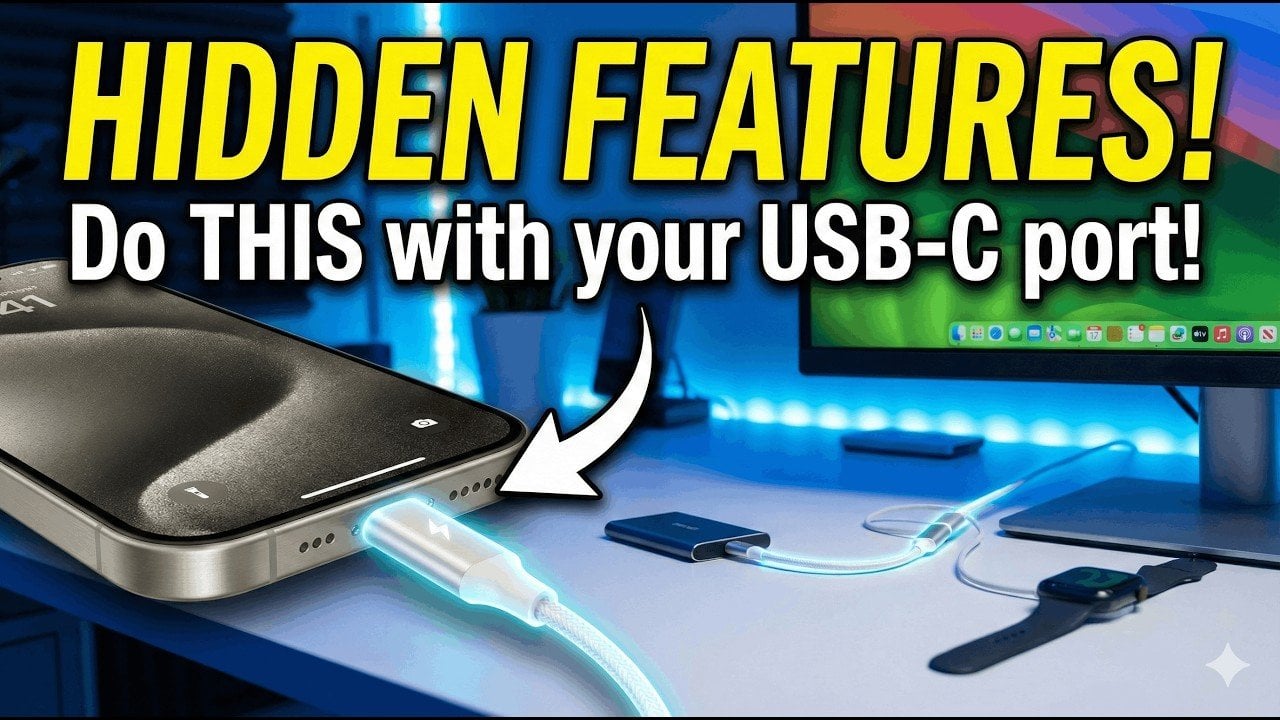
Since Apple finally ditched Lightning for USB-C starting with the iPhone 15 lineup, a wave of content has emerged highlighting features that USB-C enables. The Geeky Gadgets article (via Phones & Drones) spotlights four capabilities: device-to-device power sharing, accessory charging, faster file transfers, and external peripheral support. Let's be clear: none of these are truly "hidden." They are standard USB-C capabilities that Android phones have had for years. But for longtime iPhone users coming from Lightning, they genuinely are new territory.
Power Sharing: Cool Party Trick, Mediocre Power Bank
The headline feature is device-to-device charging. Connect your iPhone to another USB-C device with a cable, and the phone with more battery automatically sends power to the one with less. It works cross-platform, meaning you can top up a friend's Android phone, charge your AirPods Pro, or even give juice to an Apple Watch (with the right cable).
Here's the reality check: the iPhone outputs roughly 4.5 watts when sharing power. That's painfully slow. Charging another phone from 10% to 50% can take well over an hour, and you'll drain your own battery significantly in the process. Compare this to Samsung's Galaxy phones, which can output up to 25W for power sharing, or just carrying a $26 Anker power bank that does the job faster without sacrificing your own battery life.
The feature is best thought of as an emergency-only option. If your AirPods die and you need 10 minutes of charge to get through a commute, it's great. As a replacement for carrying a portable charger, it's not practical.
Faster File Transfers: Real, But With a Catch
USB-C enables faster wired file transfers compared to Lightning. However, there is a significant split in Apple's lineup that the original article glosses over. Standard iPhone models (iPhone 15, iPhone 16) still use USB 2.0 speeds, maxing out at 480 Mbps. Only the Pro models get USB 3.0, which supports up to 10 Gbps.
If you have an iPhone Pro and regularly transfer large 4K video files or high-resolution photo libraries to a computer, the speed improvement is dramatic. A 10GB video file that took several minutes over Lightning now moves in seconds over USB 3.0. For the standard models, the speed improvement over Lightning is marginal at best.
| Model | USB Standard | Max Transfer Speed | 10GB File Transfer |
|---|---|---|---|
| iPhone 15/16 (Standard) | USB 2.0 | 480 Mbps | ~3 minutes |
| iPhone 15/16 Pro | USB 3.0 | 10 Gbps | ~10 seconds |
| Samsung Galaxy S26 | USB 3.2 | 10 Gbps | ~10 seconds |
External Peripherals: The Most Underrated Feature
This is where USB-C on the iPhone genuinely shines. You can connect keyboards, external storage drives, MIDI controllers, audio interfaces, and even external monitors. For content creators working on the go, plugging in an SSD to offload footage directly, or connecting a keyboard for longer writing sessions, adds real productivity value.
The monitor support is limited to Pro models and requires a USB-C to HDMI adapter ($15-$50), but it works well for presentations or using your iPhone as a basic desktop. It is not a full desktop mode like Samsung DeX. You get a mirrored or extended display, not a desktop environment. Still, for quick presentations or watching content on a bigger screen, it is functional.
External storage support is straightforward through the Files app. Plug in a USB-C flash drive or SSD, and you can browse, copy, and move files directly. This alone makes the USB-C transition worthwhile for anyone who previously relied on AirDrop or iCloud for everything.
What the Article Gets Wrong
The Geeky Gadgets piece frames these as "hidden" or "secret" features. They are not. They are standard USB-C capabilities documented on Apple's own support pages. The article also does not distinguish between standard and Pro model capabilities, which is a significant omission since the USB speed difference between models is dramatic.
The recommendation to buy "Apple-certified accessories" is also worth questioning. While MFi-certified accessories do guarantee compatibility, many high-quality third-party USB-C cables and adapters work perfectly fine at a fraction of the cost. A $10 Anker USB-C cable performs identically to Apple's $19 cable for these features.
Comparison: How iPhone USB-C Stacks Up
| Feature | iPhone (USB-C) | Samsung Galaxy S26 | Google Pixel 9 |
|---|---|---|---|
| Power Sharing Output | ~4.5W | Up to 25W | Up to 5W |
| Desktop Mode | Screen mirroring only | Samsung DeX (full desktop) | Screen mirroring only |
| Max USB Speed (Flagship) | 10 Gbps (Pro only) | 10 Gbps | 10 Gbps (Pro only) |
| External Storage | Yes (Files app) | Yes (My Files app) | Yes (Files app) |
| External Monitor | Yes (Pro models) | Yes (all models) | Yes (limited) |
The Bottom Line
These USB-C features are real and useful, but they are not game-changers for most people. Power sharing is an emergency feature, not a daily driver. Fast transfers only matter on Pro models with large files. Peripheral support is excellent but requires additional purchases. If you are already an iPhone user who upgraded to a USB-C model, explore these features with the cables and adapters you probably already have. If you are considering switching platforms for USB-C versatility, know that Samsung still offers more flexibility with features like DeX and higher power sharing output.
Get it if
iPhone users who recently upgraded from Lightning and want to get more utility from their USB-C port, especially content creators with Pro models who transfer large files frequently
Skip it if
You already know basic USB-C capabilities from using Android phones, or you have a standard (non-Pro) iPhone and expect dramatic speed improvements
$0 (built-in) / $20-80 for cables and adapters
Affiliate links support the site at no cost to you.